2026

Reflexes Machine

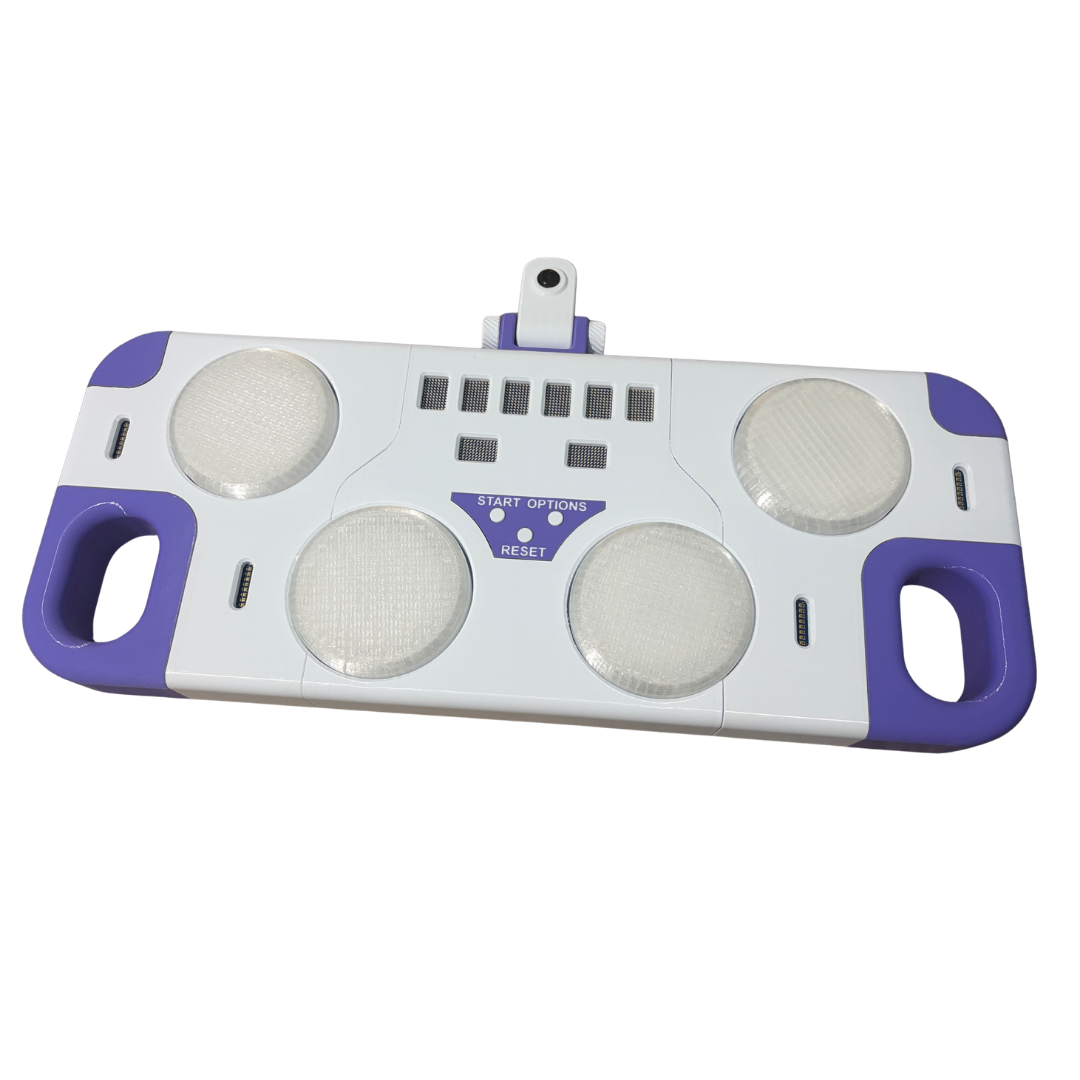
The interesting part is not the game, it is how the board is used. The Arduino UNO Q carries a microcontroller and a Linux processor on the same board, and this project runs both at once: the microcontroller handles everything that has to be exact to the millisecond, Linux handles face recognition and sound. Two worlds that usually need two separate boards, talking to each other inside one enclosure. Placeholder text of realistic length, to be rewritten for the site.

Published on Arduino Project HubArduino Project Hub ↗

FilesOpen source project: the files, the code and the assembly guide are published on Arduino Project Hub.

Files and guide on Arduino Project Hubprojecthub.arduino.cc ↗
12Modulino modules
32individual LEDs
2processors, one board
Loading the model…

Components

Every printed part, with its function and print settings.

Central body

central_body

The middle section of the console: it carries the LED matrix stopwatch, the three small buttons and the camera hinge, and the two side bodies bolt onto it. Printed flat, it is the piece that sets the width of everything else. Placeholder text: to be rewritten from the Project Hub page.

MaterialPLA

Left body

left_body

The left third of the console, with the seats for two arcade buttons and the handle. Mirror of the right one. Placeholder text: to be rewritten from the Project Hub page.

MaterialPLA

Right body

right_body

The right third of the console, with the seats for two arcade buttons and the handle. Mirror of the left one. Placeholder text: to be rewritten from the Project Hub page.

MaterialPLA

Back cover

back_central_cover

Closes the central body from below and gives access to the board and the wiring without taking the console apart. Placeholder text: to be rewritten from the Project Hub page.

MaterialPLA

Front button holder

front_btn_holder

The purple plate with START, OPTIONS and RESET: it holds the three small buttons and is the only printed part with text on it. Placeholder text: to be rewritten from the Project Hub page.

MaterialPLA

Left side cover

side_cover_left

Closes the left body from below. Placeholder text: to be rewritten from the Project Hub page.

MaterialPLA

Right side cover

side_cover_right

Closes the right body from below. Placeholder text: to be rewritten from the Project Hub page.

MaterialPLA

Handles

handle ×2

The two purple grips at the ends: the console is carried to a fair and back, and needs to be picked up with wet hands. Placeholder text: to be rewritten from the Project Hub page.

MaterialPLA

Corners

corner ×2

The purple corner pieces on the front edge, printed separately so that the big white bodies stay single-colour. Placeholder text: to be rewritten from the Project Hub page.

MaterialPLA

Arcade buttons

button_clear ×4

The four translucent domes you actually hit. Printed in clear material so that the Pixels module underneath lights the whole button. Placeholder text: to be rewritten from the Project Hub page.

MaterialPETG trasparente

Button holders

button_holder ×4

The rings that hold each arcade button in its seat and guide its travel. Placeholder text: to be rewritten from the Project Hub page.

MaterialPLA

Button bases

button_base ×2

The bases under the buttons, carrying the tactile switches and the Pixels module. Placeholder text: to be rewritten from the Project Hub page.

MaterialPLA

Button stops

button_blocker ×4

Small stops that keep each dome from popping out when it is hit hard. Placeholder text: to be rewritten from the Project Hub page.

MaterialPLA

Small buttons

small_btn ×3

START, OPTIONS and RESET: three printed caps on tactile switches. Placeholder text: to be rewritten from the Project Hub page.

MaterialPLA

Small button support

small_btn_support

Holds the three tactile switches under the front plate. Placeholder text: to be rewritten from the Project Hub page.

MaterialPLA

Camera support

cam_support

The purple hinge block on the back edge: the camera arm folds flat for transport and stands up to look at the player. Placeholder text: to be rewritten from the Project Hub page.

MaterialPLA

Camera body

cam_body

The white arm that holds the webcam at eye height of whoever stands in front of the console. Placeholder text: to be rewritten from the Project Hub page.

MaterialPLA

Camera cover

cam_body_cover

Closes the camera arm around the webcam module. Placeholder text: to be rewritten from the Project Hub page.

MaterialPLA

Hinge pins

cam_screw ×2

The two printed pins the camera arm turns on. Placeholder text: to be rewritten from the Project Hub page.

MaterialPLA

Battery cover

battery_cover

Covers the LiPo pack from below. Placeholder text: to be rewritten from the Project Hub page.

MaterialPLA

Switch holder

power_button_holder

Holds the power switch flush with the side of the console. Placeholder text: to be rewritten from the Project Hub page.

MaterialPLA

Power input holder

power_input_holder

Holds the charging socket flush with the side of the console. Placeholder text: to be rewritten from the Project Hub page.

MaterialPLA

Board rail

arduino_hub

The rail the Arduino slides onto inside the central body. Placeholder text: to be rewritten from the Project Hub page.

MaterialPLA

Arduino UNO Q

arduino_uno_q

Microcontroller and Linux processor on the same board. The microcontroller measures the reaction times, Linux runs the face recognition and the sound. Placeholder text: to be rewritten from the Project Hub page.

ModelArduino UNO Q 4GB
Product pagestore.arduino.cc

Modulino modules

modulino_led_matrix ×13

Thirteen modules on one bus: eight LED matrices form the stopwatch, four Pixels light the arcade buttons, one Thermo watches the temperature inside. In the CAD they share the same 3D model. Placeholder text: to be rewritten from the Project Hub page.

ModelModulino LED Matrix · Pixels · Thermo
Product pagestore.arduino.cc

Webcam

usb_camera

The USB camera in the arm: it recognises the face of whoever walks up and starts the game. Placeholder text: to be rewritten from the Project Hub page.

ModelUSB camera module

Power switch

interruttore

The main switch on the side of the console. Placeholder text: to be rewritten from the Project Hub page.

ModelRocker switch

Tactile switches

btn ×7

The switches under the buttons: what the microcontroller actually reads, to the millisecond. Placeholder text: to be rewritten from the Project Hub page.

ModelTactile switch 6×6×4.3 mm

Electronics

Twelve modules on one bus.

Eight LED matrices form the live stopwatch, four Pixels modules light the arcade buttons, a Thermo module keeps an eye on the enclosure temperature. All of them share the same bus, which is what makes the wiring reasonable instead of a bundle of thirty cables. Power comes from a 3S LiPo pack, so the machine can be carried to a fair and switched on without looking for a socket. The paragraph continues to the length the real text will have: which modules, why these and not others, and what had to be reworked when the button LEDs turned out to draw more current than the first estimate. Placeholder text.

Software

Two processors, one game.

On the Linux side, a Python program reads the webcam and decides when somebody is actually standing in front of the machine rather than walking past it; the same side plays the sound effects. On the microcontroller side, a sketch does nothing but measure time and read the buttons, because that is the part that must never be late. The two halves exchange short messages, and the whole trick of the project is keeping that exchange small enough that it never delays the measurement. Placeholder text of realistic length, to be rewritten for the site. Released under GPL-3.0-or-later.

Documents

Assembly guide and bill of materials, to build one yourself.

Gallery

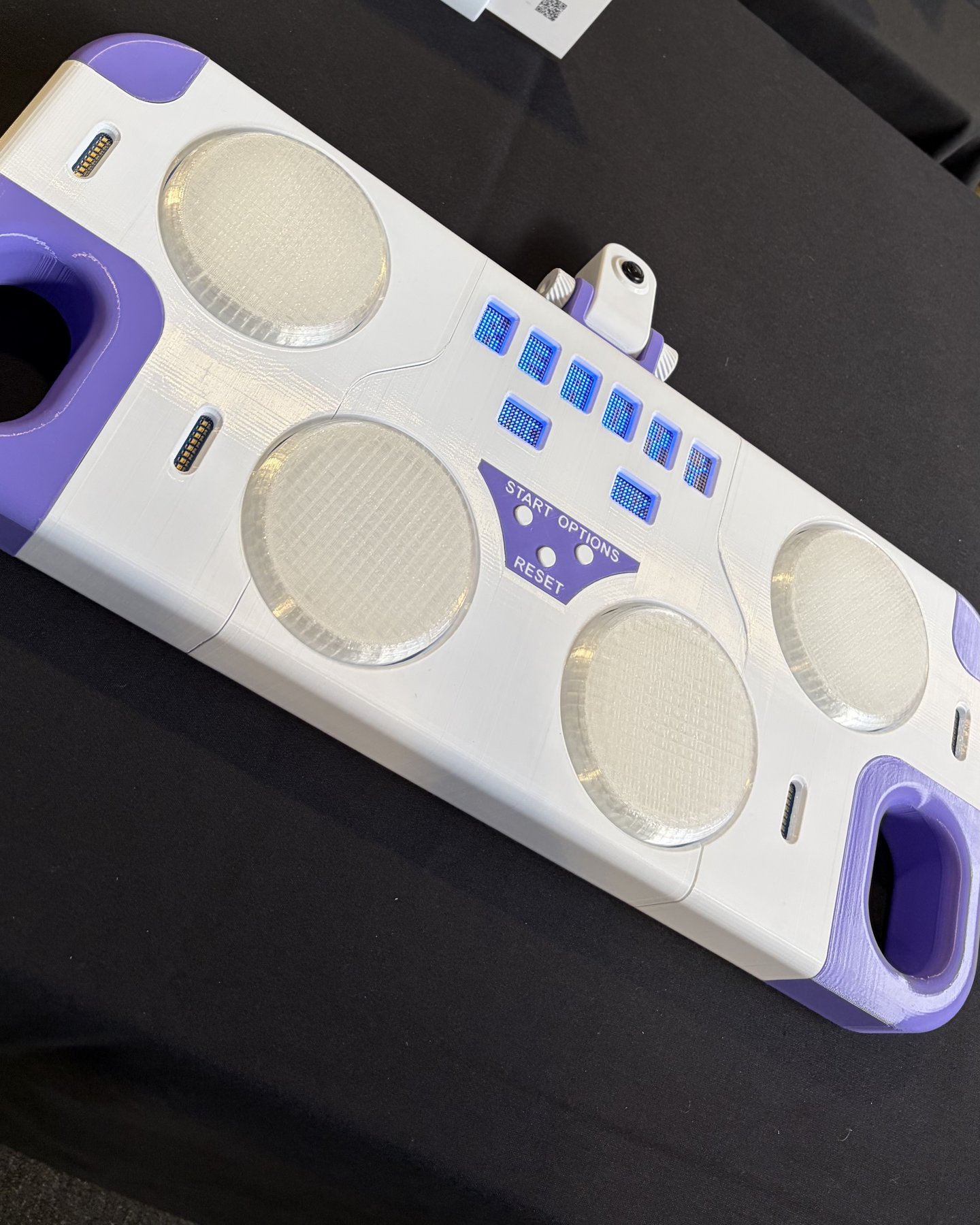
The machine on display at an Arduino event: the four pads, the LED timer and the camera
The machine from the side: the purple handles, the four pads and the camera on its arm

Need something like this built?