2026

Console Deck PRO

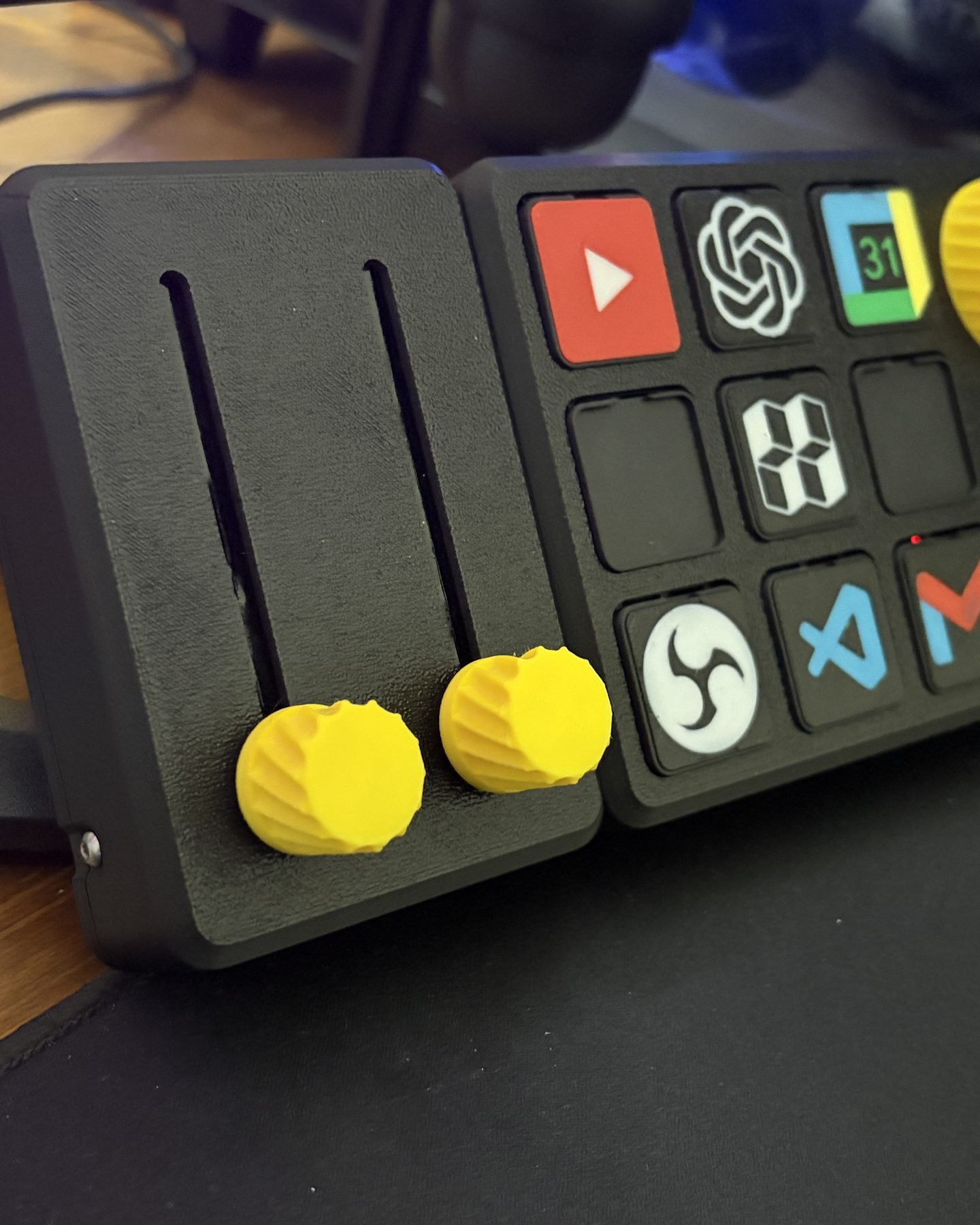
The upgrade of the free Console Deck V2: the PRO adds a screen with live CPU, RAM and GPU readouts, real key combinations and macros, and a magnetic connector where extra modules snap on — buttons, sliders, a touch strip. A deck can start with keys only and gain the rest later without reprinting the body. Funded on MakerWorld within the hour, the campaign closed in April 2026 with 295 backers.

FilesSold as files with the MakerWorld late pledge, in three tiers: Basic with the 3D files, the bill of materials and the wiring diagrams; Premium adds the modules, the PCB and the icon skins; Engineer adds the STEP files. Assembly needs basic soldering, with tutorials on YouTube.

Back it on MakerWorld (late pledge)makerworld.com ↗
9keys with swappable icons
295backers on MakerWorld
12×the goal, funded in one hour
Loading the model…

Components

Every printed part, with its function and print settings.

Enclosure

body

The printed shell in three pieces: front plate with the nine key wells and the screen window, back shell with the embossed name, and the internal grid the electronics sit on and that keeps the solder joints short. The screen cover and the magnetic port cover are separate files, so the deck can be built without them and gain them later.

MaterialPLA

Keys

keys

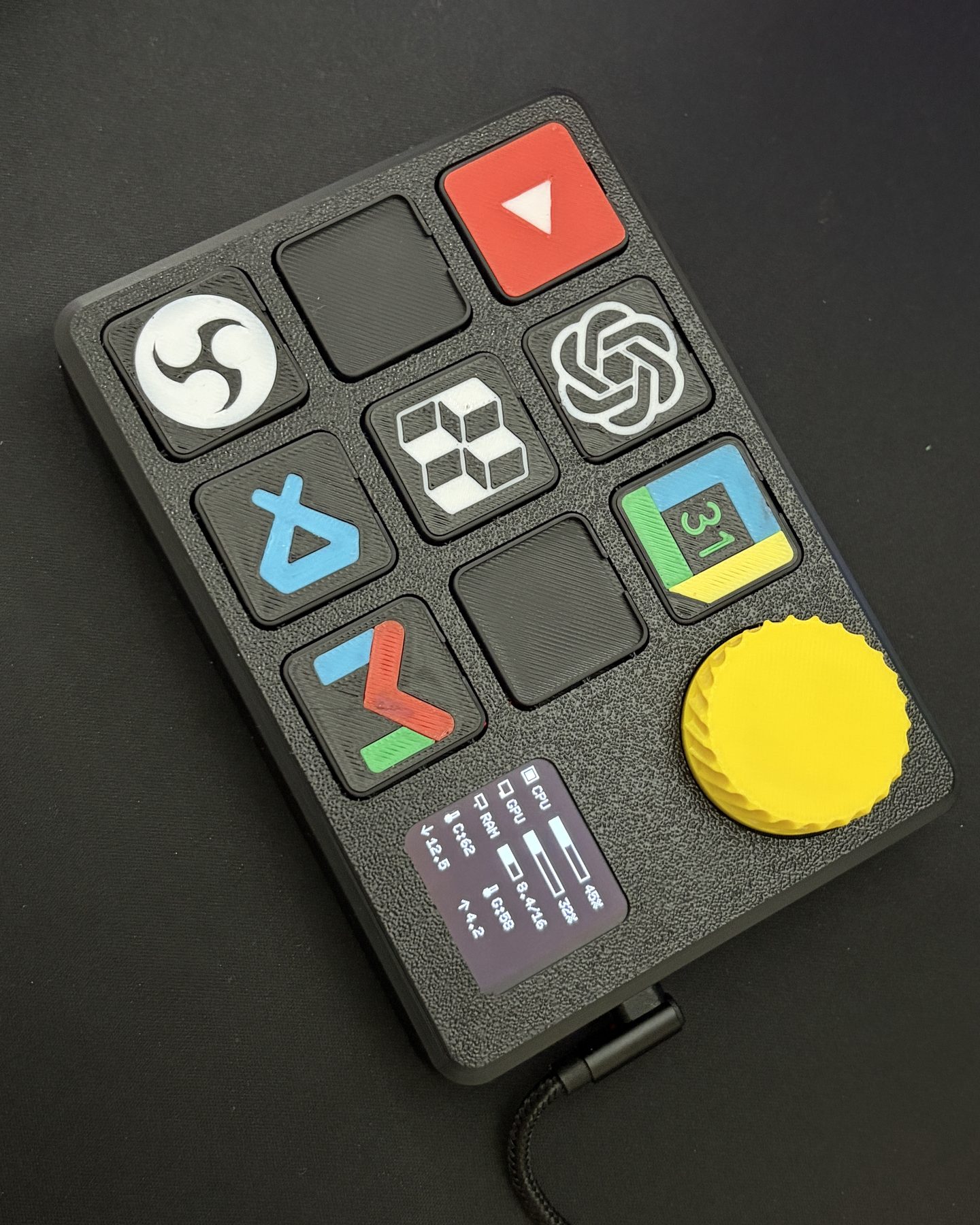
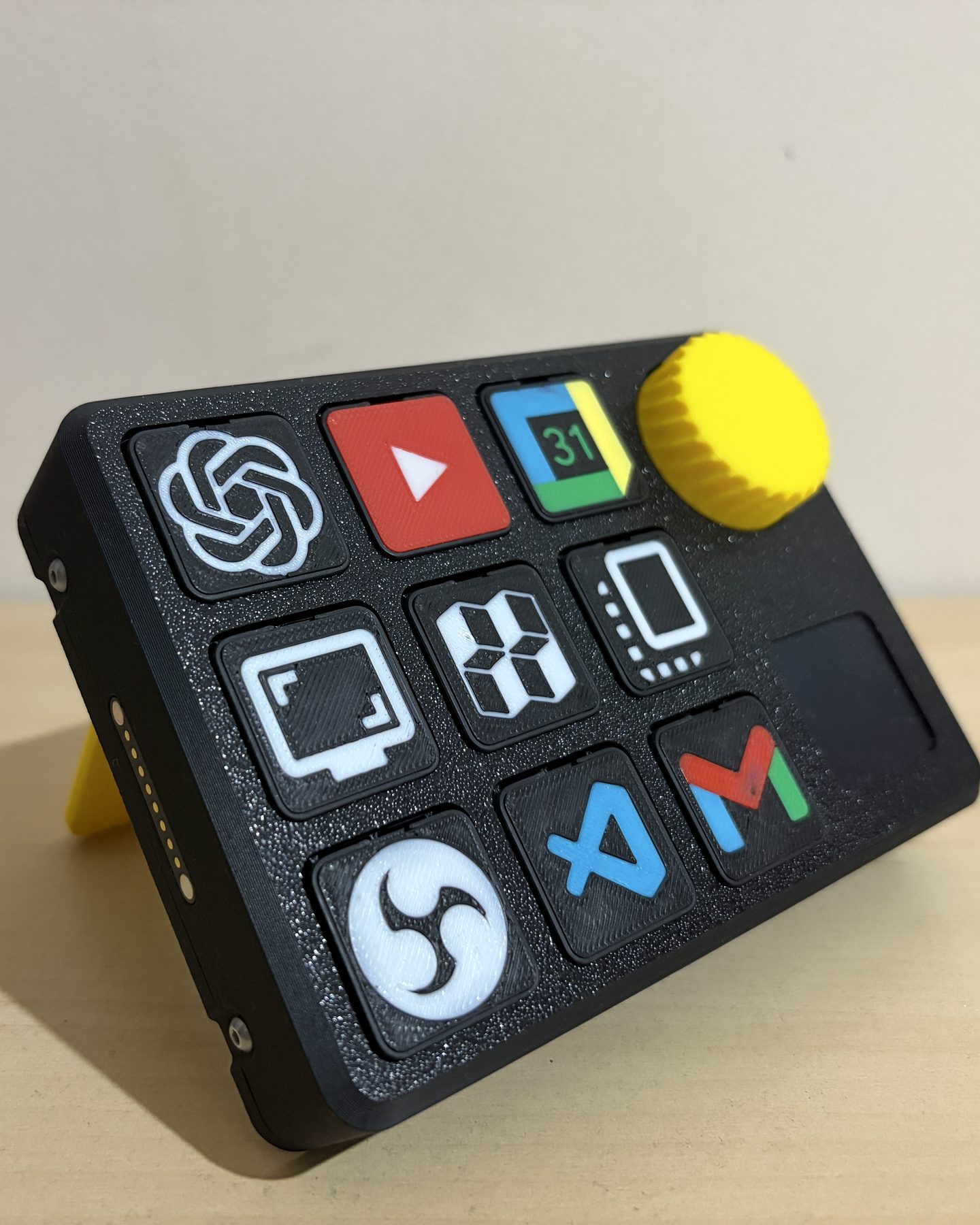
Nine printed keys in a 3×3 grid, each on a 6×6×4.3 mm tactile switch. Every key carries a swappable icon on top. Same part printed nine times.

MaterialPLA

Swappable icons

key_skins

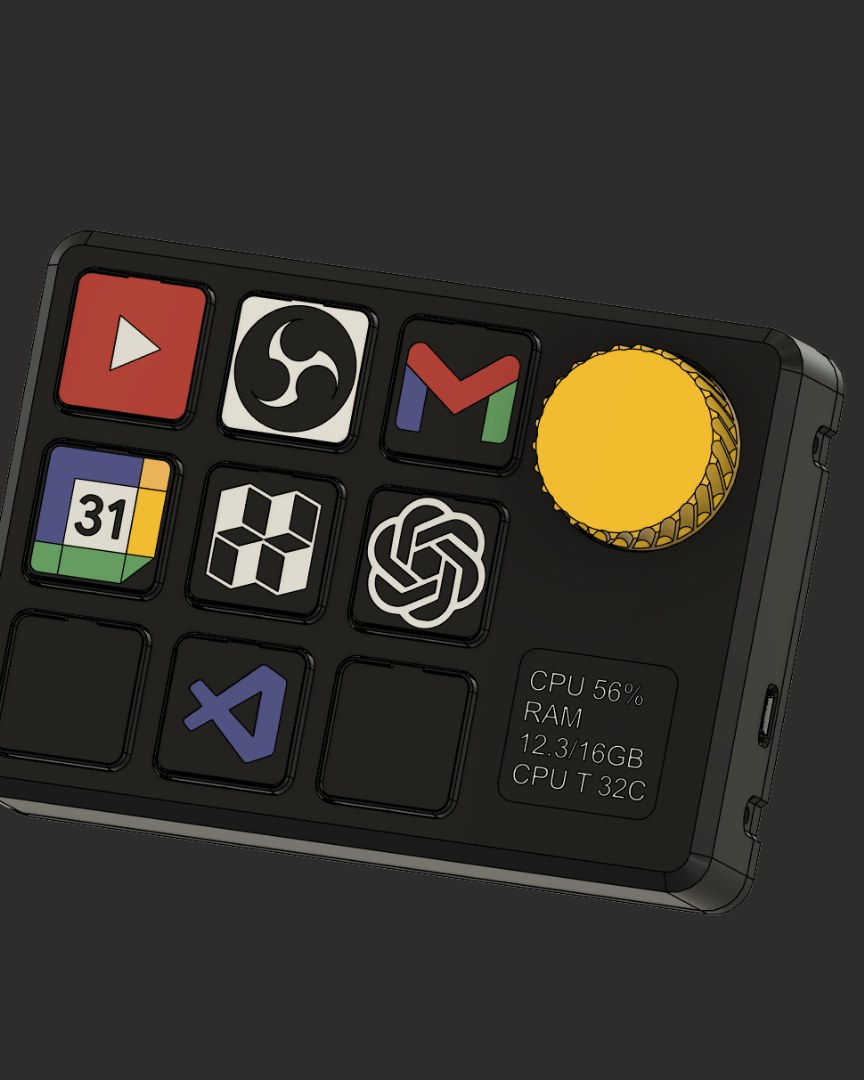
The caps with the logos, printed in colour and swapped by hand: YouTube, OBS, Gmail, Google Calendar, MakerWorld, ChatGPT, VS Code, screen and copy in the model shown here. A set of 15 more — Discord, Twitch, Steam and others — was unlocked as a stretch goal.

MaterialPLA

Knob

knob

The knurled knob on the KY-040 encoder, top right: volume, mute, and moving through the on-screen menu.

MaterialPLA

Stand

stand

The U-shaped kickstand on the back that tilts the deck towards you.

MaterialPLA

Screen

screen

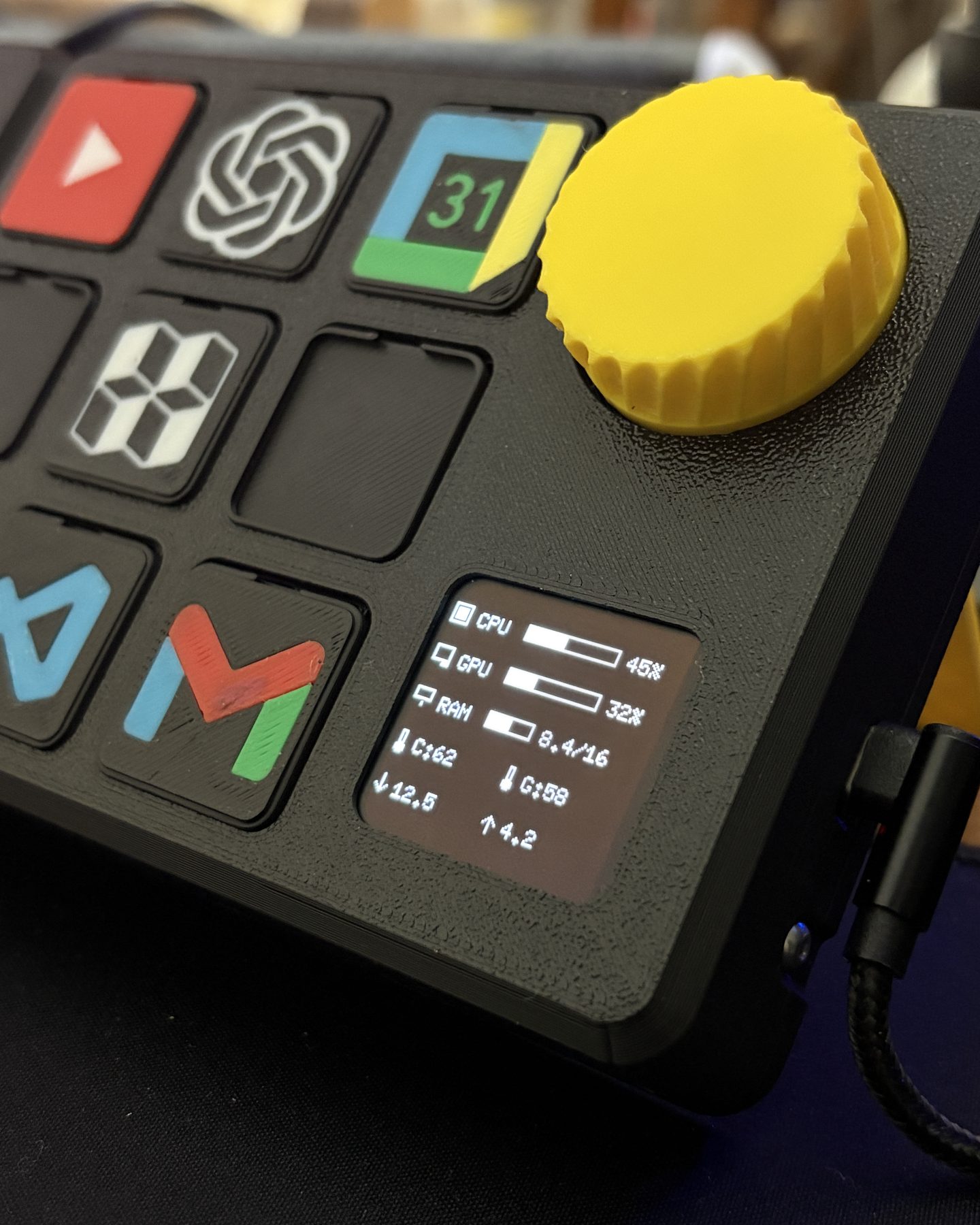
The 1.55 inch I2C OLED in the bottom right corner: real-time CPU, RAM and GPU readouts, and the on-device menu for keys and modules, without opening the app.

ModelOLED I2C 1.55"

Magnetic connector

magnetic_connector

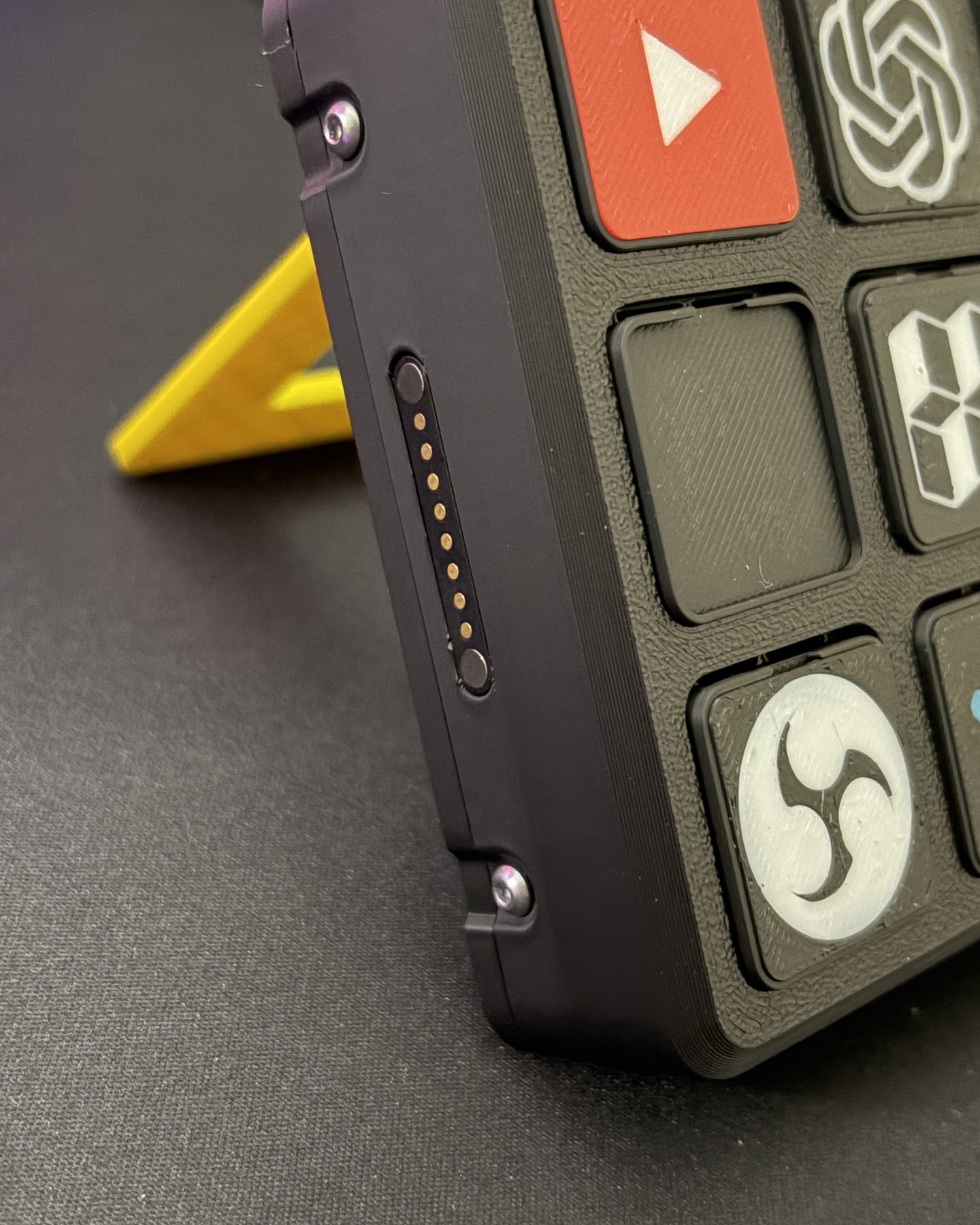
Eight pogo pins on the left side: the expansion modules — extra buttons, sliders, the touch strip — snap on here and get power and data without a cable.

ModelMagnetic pogo pin connector, 8 pins
Electronics

Simple to assemble, modular by design.

The components were chosen to be as easy to assemble as possible: an Arduino Nano, nine tactile switches under the keys, a KY-040 encoder under the knob, a 1.55 inch I2C OLED and a magnetic pogo-pin connector. Inside, a printed grid holds everything in place and keeps the solder joints short; for those who would rather not wire it by hand there is a custom PCB, unlocked as the first stretch goal, that brings assembly down to under an hour. Each key carries a printed icon that swaps by hand. The backlight planned at the start was dropped during the campaign: too many parts and steps for a clean result. The modules — extra buttons, sliders, the three-zone touch strip — snap onto the side connector and draw power and data from it.

Software

One app for the deck and its modules.

The desktop app was rewritten in Flutter for Windows (the V2 app was Python and PyGame, and it showed). Actions are assigned directly on a drawing of the deck: an app, a link, a key combination or a macro per key; the Modules menu does the same for each snapped-on module. Light and dark themes, several languages. After the campaign two things were added for every backer: date and time on the splash screen, and MQTT to bind keys to HomeAssistant devices — a key that turns on the studio lights. Windows is the only system tested so far.

Video

The video loads from YouTube (Google) only when you press play. Watch it on YouTube ↗

I built a DIY macro pad with a 3D printer: Console Deck PRO

The whole build on YouTube: how the deck was designed, printed and wired, and what it does on the desk once it is finished.

Gallery

The Console Deck PRO on the desk, standing on its yellow foot
The Console Deck PRO, keys with their icons and the yellow knob
Close-up of the knob and the small screen with CPU and RAM
The deck next to a module with two sliders
The deck from above
The magnetic connector on the side

Need something like this built?